Home / Fixes / Power Bank Not Charging Phone
🔋 Troubleshoot Guide

Power Bank Not Charging Phone? Here's Why — and the Fix

The bank lights up. The cable's in. The phone screen stays dark. Before you buy a replacement — run through this. One of these seven causes is almost certainly yours.
Updated April 2025
7 causes ranked by frequency
Fix in under 5 min
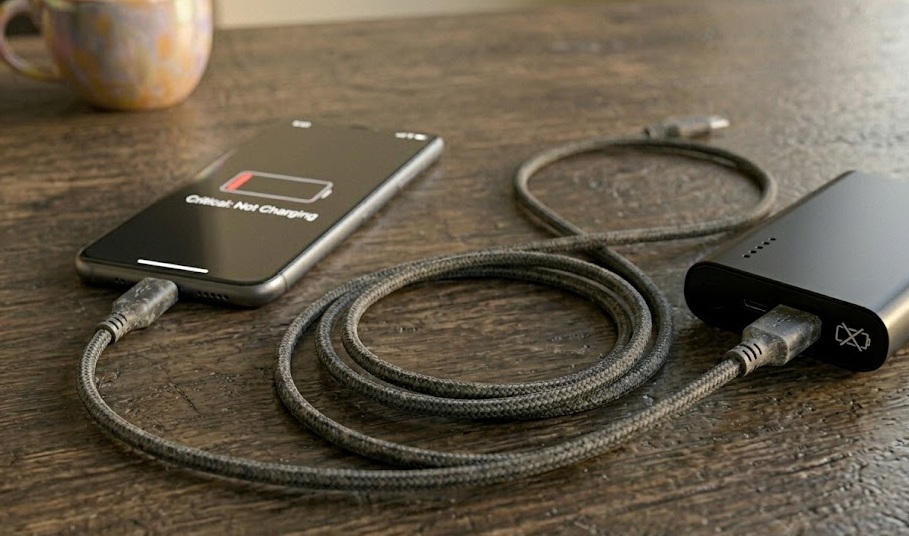
Power bank connected to smartphone via cable with low battery indicator on screen
diagnosis — quick_answer
$ run diagnosis --quick
[SCANNING] Common causes by frequency...
[#1 HIGH] Faulty or data-only cable ~40% of cases
[#2 HIGH] Lint-blocked charging port (phone or bank)
[#3 MED ] Protection mode on completely dead phone
[#4 MED ] Protocol mismatch — newer phone, older bank
[#5 MED ] Degraded battery cells (300–500 cycle limit)
[#6 LOW ] Thermal throttle from overheating
[#7 LOW ] Deep discharge / hardware fault
[ACTION ] Start with cable swap → fixes ~40% without anything else

Run This First — Takes 60 Seconds

Before going cause-by-cause, this sequence narrows down the problem fast. Work through it in order.

  1. Swap the cable
    Use a cable you've confirmed charges your phone from a wall adapter. If the phone starts charging on the power bank now — the original cable was the problem. Done. You can stop here.
  2. Try a different port on the power bank
    Many banks have two output ports with different wattage ratings. The one you've been using might be the low-power port. Switch to the other and try again.
  3. Wall-charge the phone for 3 minutes first
    If the phone was at 0%, some power banks enter protection mode — they detect no load from the flat phone and shut off. Give the phone just enough juice to wake up, then reconnect to the bank.
  4. Try charging a different device
    Connect earbuds or a tablet. If anything charges, the bank is functional — the issue is specific to your phone and this bank. That points to a protocol mismatch.
  5. Plug your phone into a wall adapter
    If the phone charges fine there, the phone port is clean and working — which means the problem lives in the power bank or cable combination, not the phone.
note

If none of these produce any response at all — skip to Cause #5 (degraded battery) or Cause #7 (deep discharge / hardware fault).

The 7 Causes — Ranked by How Often They Happen

Click any cause to expand the full explanation and fix. Start from the top — that's where most problems actually live.

01
Faulty or data-only cable MOST COMMON
Check this first. It's the reason ~40% of the time.

A cable can look completely fine outside and be broken inside. Micro-fractures near the connector, a worn contact surface, or — the sneaky one — it was never a proper charging cable to begin with.

Millions of USB-C cables are designed only for data transfer, with power wires so thin they can barely trickle charge a device. They come bundled with gadgets, live in junk drawers, and look identical to proper cables.

warning

A data-only cable might deliver enough power to show a faint charging icon — but at 50mA instead of 2000mA. Your phone says it's charging. It's lying. It'll be at the same percentage an hour later.

Fix
  • Use a cable you know works from wall charging and test it with the power bank
  • If that works, discard or label the original cable "data only"
  • For future reference: a quality charging cable is slightly thicker and stiffer — the power conductors inside are physically larger
02
Lint-blocked charging port VERY COMMON
Pockets are lint factories. Ports are lint magnets. Both sides.

Lint compresses over time into a dense mat at the bottom of the port. The cable connector seats — might even click — but the connection is off by a fraction of a millimeter.

This affects both sides: the port on your phone and the output port on the power bank. The phone port is usually worse because it takes more daily abuse.

Fix
  • Shine a flashlight into both ports to check for visible debris
  • Use a wooden toothpick — never metal — to gently scrape lint toward the opening, not inward
  • Follow with compressed air or blow gently into the port
  • A single cleaning session often restores full charging speed immediately
03
Protection mode on a dead phone COMMON
A completely flat phone creates a loop that looks like a broken bank.

When a phone is at 0%, it draws nearly no current. Some power banks detect "no load," assume nothing is connected, and shut their output off after a few seconds.

The loop: bank turns on → detects nothing → turns off. The bank is not broken. The phone is not broken. They just can't start the conversation from zero.

Fix
  • Wall-charge the phone for 3–5 minutes until it wakes up and shows any percentage
  • Then switch to the power bank — it'll detect load normally and stay on
  • Alternative: press the power button on the bank while the cable is already connected
04
Protocol mismatch (PD / QC) MODERATE
New phone, old bank. They speak different charging languages.

Modern phones negotiate charging via USB Power Delivery (PD) or Qualcomm Quick Charge. Your phone sends a signal asking for 9V/2A. An older bank that only outputs 5V/1A has nothing to say back.

This is why the bank charges your old phone fine but won't touch your new one.

Fix
  • Check your bank's label for "USB-PD" or "PD" output — if absent, it may be incompatible with newer phones
  • Workaround: wall-charge the phone to 20%+ first, then the bank can usually maintain that charge
  • Long-term fix: a PD-capable power bank eliminates this entirely
05
Degraded battery cells MODERATE
Expected after 300–500 cycles. The bank still turns on — but barely delivers.

Every lithium-ion cell has a finite charge cycle life — roughly 300–500 cycles for standard banks. After that, internal resistance rises and the bank can no longer reliably charge a phone.

The tell: the bank dies quickly, or your phone only gets to 30% before the bank runs out.

Diagnosis + Fix
  • If the bank is under 2 years old, degradation is unlikely — check causes 1–4 first
  • If it's over 3 years old with regular use, cells are likely at end-of-life
  • No repair exists — this is a replacement situation
  • Recycle at an electronics drop-off (never general trash)
06
Thermal throttle from overheating SITUATIONAL
The bank is protecting itself. Let it cool down.

Power banks shut down output when the internal temperature exceeds ~40°C (104°F). That's basically "left in a car on a warm day." More common than people expect.

Fix
  • Let the bank sit at room temperature for 20–30 minutes
  • Don't put it in the fridge — rapid temperature changes cause internal condensation
  • Normal output resumes once the sensor clears
07
Deep discharge or hardware fault LESS COMMON
Try one thing before replacing. It occasionally works.

A power bank stored unused for months can fall below a critical voltage. Some protection circuits refuse to charge cells in this state. The bank looks completely dead.

solution — try this before replacing

Plug into a wall adapter (5V/2A minimum — not a laptop port) and leave for 6 hours. Any light during those 6 hours = still viable. No response at all = hardware fault, time to replace.

Safety Note
  • If the casing is swollen or puffy — stop immediately. Take to electronics recycling
  • If the bank gets genuinely hot during normal operation — same situation

Symptom Checker

Select what's happening right now and get a targeted answer.

🔍
Live Diagnosis
Select symptom → get targeted fix
What's happening when you connect your phone to the power bank?

How Long Power Banks Actually Last

Charge cycles are the real metric — not years.

Budget bank
~300 cycles
Mid-range
~500 cycles
Premium bank
800–1000
context

At 2 charges/week: 500 cycles ≈ 5 years. At daily use: ~1.5 years. A 10,000mAh bank realistically delivers 7,000–8,000mAh due to voltage conversion losses — normal, not a defect.

Power Banks Worth Considering

Spec-transparent, PD-capable, consistent output. Each one clearly states what it delivers.

everyday pick

Anker 523 — 10,000mAh 30W

Compact. 30W PD output charges iPhone 16 to 50% in ~30 min. Output specs printed on the bank itself.

Amazon
high capacity

UGREEN 20,000mAh 130W

Digital display. 130W handles laptops. Refills in ~2 hours via 65W input. The display alone eliminates half the troubleshooting questions.

Amazon
diagnosis tool

USB Power Meter (Inline)

~$15. Plugs between cable and phone. Shows real-time V, A, W. Definitively tells you if the bank, cable, or phone is the bottleneck.

Amazon
slim travel

Anker 321 — 5,200mAh

Credit-card width. Lighter than most phones. For people who forget to bring a power bank — this one fits in a shirt pocket.

Amazon
// affiliate disclosure: The Efficient Method earns commission on qualifying Amazon purchases. Recommendations are based on specs, not sponsorship.

Frequently Asked Questions

Lights confirm stored power — not that output is working. Most likely: a data-only cable, lint in the port, or protection mode on a flat phone. Try a different cable first. Then clean both ports. Then wall-charge to 5% and retry.
Different phones have different startup current requirements. Modern iPhones and Android flagships often require USB Power Delivery signaling. An older bank without PD output may charge basic phones fine but fail on newer devices. Check the bank's label for "PD."
Classic protection mode on a completely dead phone. Wall-charge the phone for 3 minutes first, then reconnect to the bank. Also bend the cable gently near the connector — if charging resumes at a certain angle, there's an internal break in the wire.
Standard lithium-ion: 300–500 cycles. Premium cells: 800–1000. At 2 charges/week, 500 cycles ≈ 5 years. At daily charging, closer to 1.5 years. After the cycle limit, the bank still turns on but delivers noticeably less capacity.
Yes — stop immediately. A swollen casing means a compromised lithium cell that can rupture or ignite. Don't charge it, don't store in enclosed spaces, don't put in general trash. Take to an electronics recycling facility.
10,000mAh via 5W adapter: 10–12 hours. Same bank via 20W: 3–4 hours. 20,000mAh via 65W: ~2 hours. The input rating is printed on the bank — match it to an adapter of at least that wattage. Using a laptop USB port is always slow.

Next Reads

Related Articles