Wireless Charger: How Does It Work?
You set the phone down. It starts charging. No cable, no port — but how? The answer is simpler than you'd think, and knowing it helps you fix problems faster.
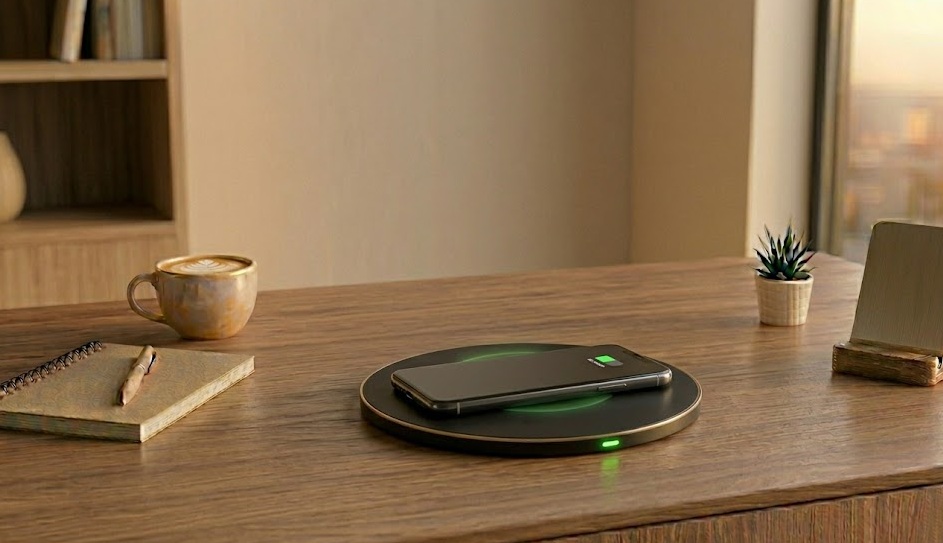
Wireless charging uses electromagnetic induction. The charging pad runs electricity through a copper coil, which creates a magnetic field. Your phone has a matching coil that converts that field back into electricity. No physical contact needed — just proximity and alignment. The Qi standard ensures cross-brand compatibility.
What's in this guide
The Physics Behind Wireless Charging
Think of two tuning forks: strike one, and the other vibrates — no contact needed. Wireless charging works on a similar principle, but with electricity and magnetic fields instead of sound.
The charging pad plugs into the wall and passes alternating current through a flat copper coil. This generates a shifting magnetic field just above the pad's surface. Your phone contains a second copper coil. When these two coils are close and aligned, the magnetic field from the pad induces an electrical current in the phone's coil — through a process called electromagnetic induction — which charges the battery.
The physics is Michael Faraday's work from 1831. What changed recently is miniaturization and standardization. The Qi standard (pronounced "chee") ensures pads and phones from different brands are compatible. According to the Wireless Power Consortium, Qi is now certified across more than 4,000 devices worldwide.[source]
Common Wireless Charging Problems
| Symptom | Likely Cause | Fix Difficulty |
|---|---|---|
| Phone not charging at all | Off-center, thick case, or pad has no power | Easy |
| Charging very slowly | Pad wattage too low, or wrong adapter powering the pad | Easy |
| Gets hot during charging | Normal heat loss (~20%) — worse with thick case or warm room | Easy |
| Starts then stops repeatedly | Phone drifting off-center, or thermal throttle activating | Easy |
| Works on some pads, not others | Non-Qi pad, or older Qi 1.0 vs Qi2 incompatibility | Medium |
Qi, MagSafe, and Qi2 — What's the Difference?
Qi is the universal open standard. It's what makes a Samsung pad work with an iPhone and vice versa. Base Qi runs at 5W; Qi 1.2 extended this to 15W for compatible devices.
MagSafe is Apple's implementation: it's Qi2 with a ring of magnets that snaps the phone to the center of the pad, ensuring perfect coil alignment every time. That alignment is why MagSafe reliably delivers 15W while a non-MagSafe Qi pad on the same iPhone tops out at 7.5W — same phone, same pad wattage rating, but alignment matters. Apple's MagSafe documentation confirms that proper magnetic alignment is required for the full 15W charging rate, while misaligned Qi charging reduces this to 7.5W on iPhone 12 and later.[source]
Samsung has its own fast wireless charging at up to 25W, but it requires a Samsung-certified pad. Third-party pads max out at 15W even on Samsung flagships.
Why It's Charging Slowly — and What to Do
1. Remove or replace your case
Cases thicker than 3mm significantly reduce magnetic field transfer. Cases with metal rings (used for car mounts) block it almost entirely. Test without the case — if charging speed jumps, your case is the problem.
2. Center the phone precisely
The sweet spot on most pads is surprisingly small — sometimes just 2–3cm in diameter. Slide the phone slowly around until you get the charging confirmation tone or icon. This is the single most common fix.
3. Use a better power adapter
According to testing by Tom's Hardware, wireless charging pads rated at 15W require at least a 9V/2A (18W) USB-C adapter to deliver their rated wattage — a standard 5W USB-A adapter bottlenecks even a high-wattage pad.[source] Check what adapter you're using to power the pad.
4. Enable fast wireless charging in settings
On Samsung phones, fast wireless charging is a toggle in Settings → Battery. It's on by default, but occasionally gets disabled after software updates. Takes two seconds to check.
Is your phone charging at all when placed on the pad?
What Not to Do
Don't place credit cards or transit cards on wireless charging pads. The magnetic field can erase the magnetic stripe and, in some cases, damage NFC chips in contactless cards. Keep cards away from active charging pads.
Don't use uncertified no-name charging pads. Cheap non-Qi-certified pads deliver inconsistent power and have been known to cause abnormal battery behavior. Check for the Qi certification logo before buying.
Don't worry about overcharging. Modern phones stop drawing power when full, even on wireless pads. Leaving it on the pad overnight is fine — the concern is keeping it at 100% for extended periods, which some battery settings now manage automatically.
When Wireless Charging Won't Work at All
If you've tried multiple certified Qi pads and the phone never charges wirelessly, the issue is likely the phone's wireless charging coil itself. This coil lives near the back of the phone and is vulnerable to hard drops. It's also a frequent casualty of third-party screen repairs — technicians sometimes disconnect or damage the NFC/wireless antenna during display replacement without realizing it.
At that point, a phone repair shop can diagnose and replace the coil, usually for $40–$80. First confirm by trying the phone on 2–3 different certified pads in a store before paying for diagnosis.
Wireless Charging Troubleshooting Flow
If You Only Do One Thing
Center the phone on the pad properly. It sounds too obvious, but misalignment accounts for a disproportionate share of wireless charging complaints. The coils need to directly overlap, and the target zone is smaller than most people assume. Spend five seconds sliding the phone to find the exact sweet spot. If that doesn't fix things, move on to wattage and case thickness. But try alignment first — it's free and takes seconds.
People Also Ask
Wireless charging uses electromagnetic induction. A coil in the pad creates a magnetic field that induces current in a matching coil in your phone, charging the battery without a physical connection.
Yes. Standard Qi is 5–7.5W. Fast wireless can reach 15W (MagSafe/Qi2) or higher. Wired fast charging delivers 25–65W+, making it significantly faster.
Most common: phone case is too thick, phone isn't centered, or charger wattage doesn't match your phone's spec. Try removing the case and re-centering first.
Not significantly. The extra heat from wireless charging contributes marginally more battery wear over years, but for most users the convenience outweighs the difference. Modern battery management also limits peak charge to 80% in some modes to offset this.